
Get paymaster kit 2026 right
Before writing a single line of code, you need to verify that your infrastructure can support the ERC-4337 account abstraction standard. A paymaster is a smart contract that pays gas on behalf of a user operation, but it does not operate in a vacuum. It requires a compatible bundler to package transactions and a mempool to relay them. If any part of this chain is misconfigured, your users will see "execution reverted" errors, and your onboarding flow will break.
Start by selecting a supported chain. Not all networks have the necessary bundler infrastructure ready for 2026. You must also decide on your sponsorship model. Will you cover a hard cap for all users, or a variable share based on their token balance? The Paymaster Kit 2026 calculates gas differently depending on this choice, so your budgeting strategy must align with your technical setup.
Finally, ensure you have the necessary API keys and wallet credentials ready. Most providers require you to whitelist your contract addresses before they will bundle your transactions. Skipping this verification step is the most common reason for deployment delays. Take the time to check these prerequisites now to avoid debugging production failures later.
Work through the steps
Setting up the Paymaster Kit 2026 requires aligning your smart contracts with the ERC-4337 standard. This process automates gas fees, allowing users to interact with your dApp without holding native tokens. Follow this sequence to configure the paymaster contract, define sponsorship policies, and verify the integration.

Begin by deploying the paymaster contract to your target chain. The Paymaster Kit 2026 relies on ERC-4337 account abstraction, which separates the user operation from the underlying transaction. Ensure your deployment script includes the necessary dependencies for the bundler and aggregator interfaces. Verify that the contract address is registered with the entry point contract on the specific network.

Define how the paymaster covers gas costs. You must choose between a hard cap, where the paymaster covers a fixed amount of gas, or a variable share, where it covers a percentage of the total cost. This decision impacts your treasury management and user experience. Set the maxFeePerGas and maxPriorityFeePerGas limits in the contract configuration to prevent budget overruns during network congestion.
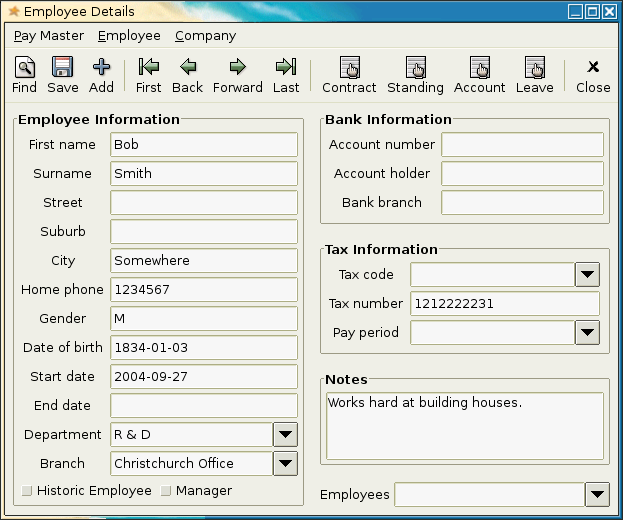
Update your wallet interface to send User Operations (UOs) through the paymaster instead of standard transactions. This requires modifying the signer to bundle the user data with the paymaster's signature. Test the integration using a testnet environment to ensure that the paymasterAndData field is correctly populated. Confirm that the user sees a simplified transaction flow without gas fee prompts.
Execute a full test cycle to verify that the paymaster correctly subsidizes the gas for a complete user operation. Simulate various scenarios, including high network traffic and low balance states. Use a block explorer to inspect the transaction receipt and confirm that the paymaster contract was charged appropriately. Fix any signature validation errors or gas estimation mismatches before proceeding to mainnet.
After deployment, continuously monitor the paymaster's balance and gas consumption. Adjust the sponsorship limits based on real-world usage patterns. Set up alerts for low balances or unusual transaction volumes to maintain service reliability. Regularly review the ERC-4337 implementation guide for any updates to the standard that may require contract upgrades.
Fix common mistakes
Even with the Paymaster Kit 2026, configuration errors can break user onboarding or drain your treasury. The most frequent issues stem from misunderstanding how ERC-4337 handles gas sponsorship and validation logic. Below are the specific pitfalls to avoid.
1. Ignoring Gas Limits in UserOps
A common error is setting a gas limit too low or omitting it entirely. If the user operation requires more gas than allocated, the transaction will revert, and the user will see an error. Always set a realistic gas limit that accounts for potential execution depth.
2. Miscalculating Sponsorship Caps
The Paymaster Kit 2026 calculates gas differently depending on whether you sponsor a hard cap or a variable share. If you do not define a clear cap, you risk overpaying for gas or leaving users exposed to high fees. Define your sponsorship strategy clearly in the contract configuration.
3. Overlooking Revert Reasons
When a user operation fails, the revert reason is often buried in the trace data. Ensure your error handling captures these details. This helps you quickly identify whether the issue lies with the user's signature, the paymaster's balance, or the target contract logic.
4. Skipping Multi-Chain Testing
Gas prices and network conditions vary across chains. A configuration that works on Ethereum Mainnet may fail on Layer 2s due to different gas token requirements or transaction throughput limits. Test your paymaster setup on all target chains before going live.
Paymaster kit 2026: what to check next
Helpful gear
Use these product recommendations as a starting point, then choose the size, material, and price point that fit how you actually use the gear.

As an Amazon Associate, we may earn from qualifying purchases.
No comments yet. Be the first to share your thoughts!